
 视频推流方案
# 视频推流工具
# 视频推拉流平台easyDarwin
当前使用版本为EasyDarwin-linux-8.1.0-1901141151,服务已经部署在172.16.114.1
WEB页面地址:http://172.16.114.1:10008 RTSP端口为:554
# 视频推流
easyDarwin推流功能
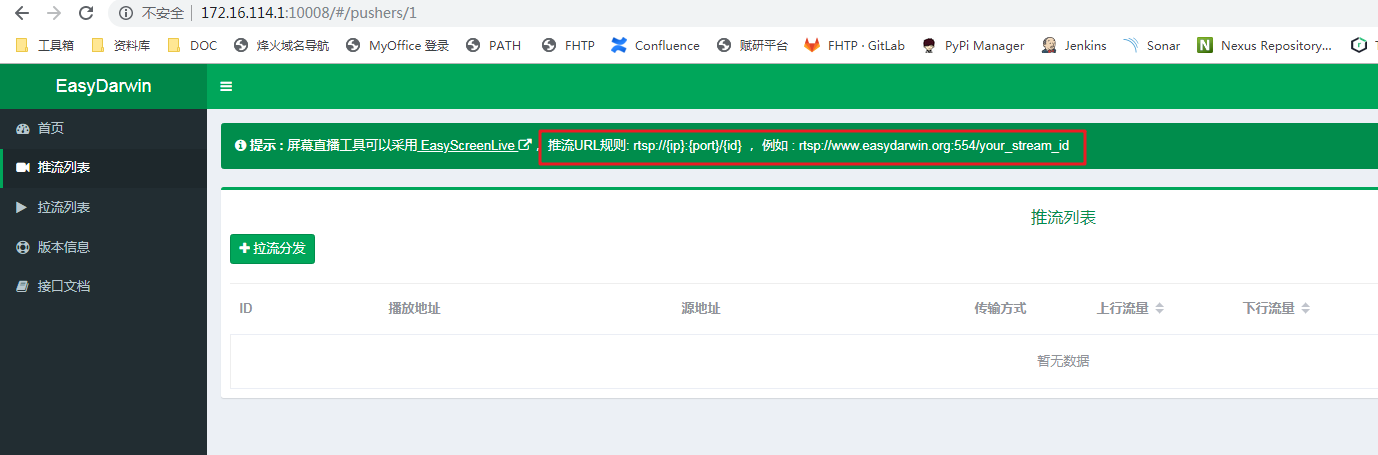
根据说明,设置rtsp的推流地址:rtsp://172.16.114.1:554/{设置一个可以区分的ID,可以用测试场景或视频名称来标记}
# 推流工具 FFmpeg
ffmpeg -re -i "1106_test_video_floor1_2.mp4" -rtsp_transport tcp -vcodec h264 -f rtsp rtsp://172.16.114.1:554/1106_test_video_floor1_2
1
FFmpeg还可以设置重复推流,设置各类参数,自行查询。
# 推流效果
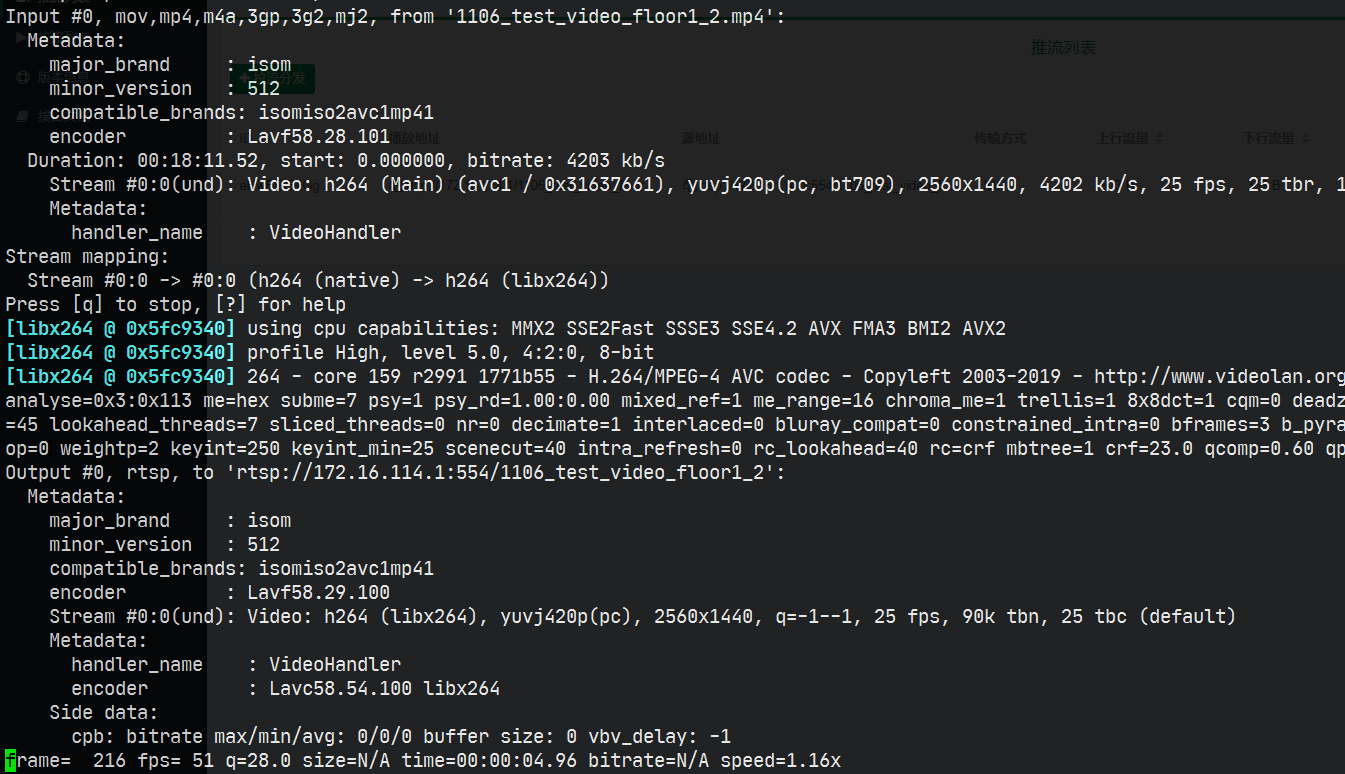
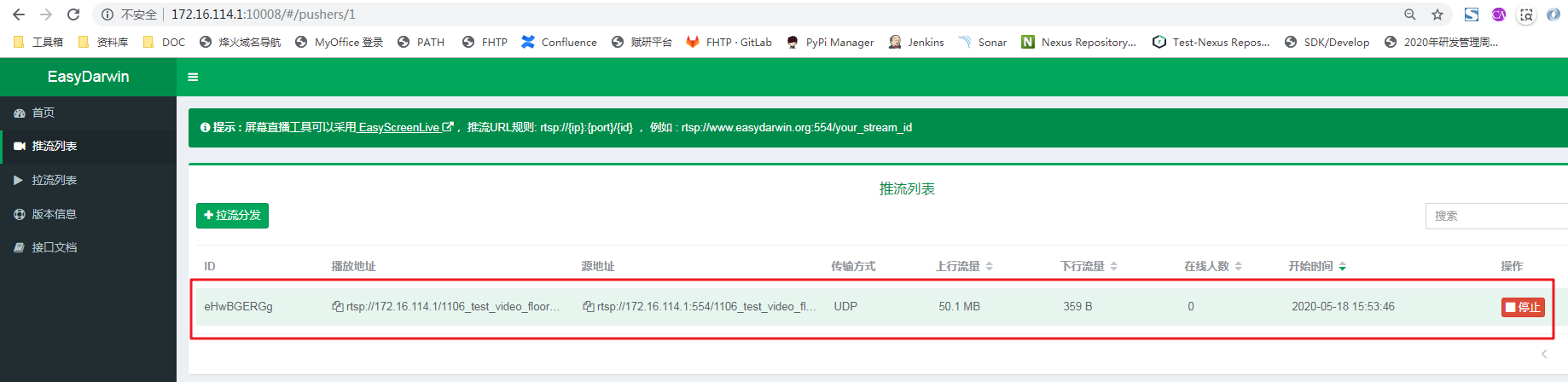
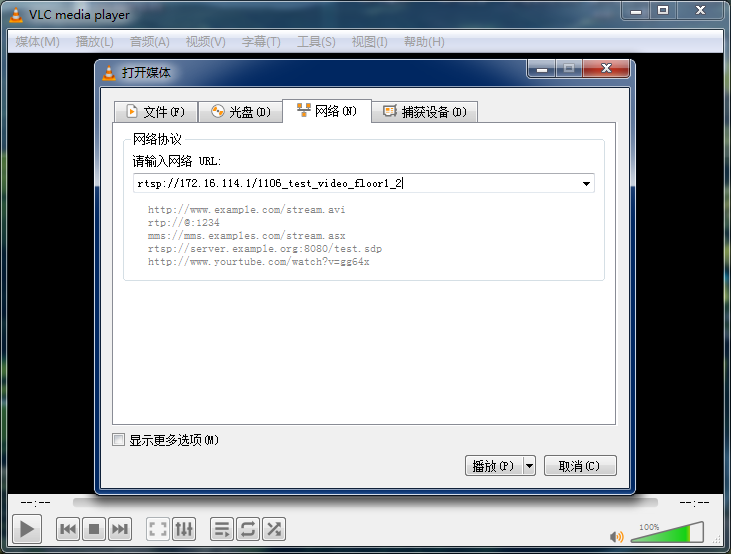
# API获取推流信息
http://172.16.114.1:10008/api/v1/pushers
{
  total: 1,
  rows: [
    {
      id: "XKR6VPRMg",
      inBytes: 59629515,
      onlines: 2,
      outBytes: 109223690,
      path: "/20200518_1",
      source: "rtsp://172.16.114.1:554/20200518_1",
      startAt: "2020-05-18 16:34:18",
      transType: "TCP",
      url: "rtsp://172.16.114.1/20200518_1"
    }
  ]
}
1
2
3
4
5
6
7
8
9
10
11
12
13
14
15
16
2
3
4
5
6
7
8
9
10
11
12
13
14
15
16
API接口对后续视频算法效果测试自动化有帮助
# RTMP协议推流
使用docker镜像(tiangolo/nginx-rtmp:latest)搭建基于Nginx的RTMP服务
docker run -d -p 1935:1935 --name nginx-rtmp tiangolo/nginx-rtmp:latest
1
推流还是使用ffmpeg或者OBS即可
上次更新: 7/26/2026, 5:11:41 PM